AI Voiceover for Online Courses: Turn Lessons into Audio
Every online course has the same production bottleneck: the voiceover. You write the lessons, build the slides, and then face hours of recording and re-recording — and that's before the first update makes half your audio obsolete. AI voiceover for online courses changes the economics: write the lesson text, generate consistent narration in minutes, and when a lesson needs updating, regenerate only the changed paragraphs.
This guide covers the course-creator workflow: choosing a voice that works across an entire curriculum, structuring scripts for learning, updating lessons cheaply, and producing multilingual versions of your course without hiring new narrators.
Why Course Creators Are Switching to AI Voiceover
Traditional course narration has three pain points, and AI voiceover addresses all of them:
Voice consistency across modules. A course recorded over months sounds like it — your energy and mic placement change between module 1 and module 12. An AI voice is identical in every lesson. Your course sounds like it was recorded in one sitting.
Cheap, fast updates. With recorded audio, a pricing change or corrected mistake means booking time, matching the old tone, and re-editing. With AI voiceover, you edit the text and regenerate the affected paragraphs — minutes, almost no cost.
Multilingual versions without re-recording. Translating a course traditionally means hiring a new narrator per language. With AI voiceover supporting 100+ languages, you translate the script and generate narration in each language with the same voice character. One course becomes five.
The honest caveat: for highly personal, personality-driven teaching — where your stories and charisma are the product — your own recorded voice may still be better. AI voiceover is strongest for instructional, skill-based courses where clarity and consistency matter most.

Step 1: Choose Your Course Voice (and Commit to It)
Your course voice is part of your brand. Students will hear it for hours across dozens of lessons, so choose carefully — and then never change it mid-course.
Match the voice to the subject. A calm, measured voice suits technical content; a warmer, more energetic voice fits motivational or creative topics. Test with a real lesson paragraph in the live demo — not marketing copy.
Prioritize clarity over character. A voice with a distinctive quirk might charm in a trailer but tire over 40 lessons. For long-form learning, intelligibility and natural pace beat dramatic flair.
Consider your learners' language. If your students are in Pakistan, India, or the Middle East, narration quality in their language matters more than anything else. SynVoice offers 38,000+ premium AI voices across 100+ languages — including Urdu, Hindi, Arabic, Punjabi, and Bengali — so you can narrate in the language your students actually learn in. Browse the library at synvoice.io/voices to hear options.
Lock it in writing. Document your choice — voice name, speaking rate, and any pronunciation notes — in your course production notes. If you produce a second course a year later, you can recreate the exact same narration setup.
Step 2: Write Lesson Scripts That Teach
Course scripts aren't blog posts read aloud. A few structural habits make AI-narrated lessons significantly more effective:
- One concept per lesson. Keep lessons to 5–12 minutes of audio. Short lessons are easier to update and students retain more.
- State the goal up front. "By the end of this lesson, you'll be able to..." gives the narration a natural opening.
- Write transitions explicitly. "Now that we've covered X, let's look at Y" — redundant in text, essential in audio.
- Spell out what you want heard. Write "click the Settings tab," not "click ⚙️". Symbols and abbreviations need explicit spoken forms.
- End with a recap. Two or three sentences summarizing the key points — these double as your lesson descriptions.
Step 3: Generate Narration Module by Module
Produce your course in the same modular structure students will consume it. Here's a workflow that scales:
- Finalize one module's scripts before generating any audio — text edits after generation waste credits.
- Generate lesson by lesson, not module by module. Smaller files are easier to review, fix, and replace later.
- Review each lesson against the script while listening. Check for mispronounced terms (especially technical jargon and brand names), unnatural pauses, and pacing.
- Fix in text, regenerate the segment. This is the core advantage: a correction is a text edit plus one regeneration, not a re-record.
- Name files systematically — — so updates are traceable. When lesson 2 gets revised next quarter, you'll know exactly which file to replace.
For course creators who want the narration to sound like them without recording every lesson, voice cloning is worth evaluating — your lessons carry your vocal identity while the production stays text-based.
Step 4: Update Lessons Without Re-Recording
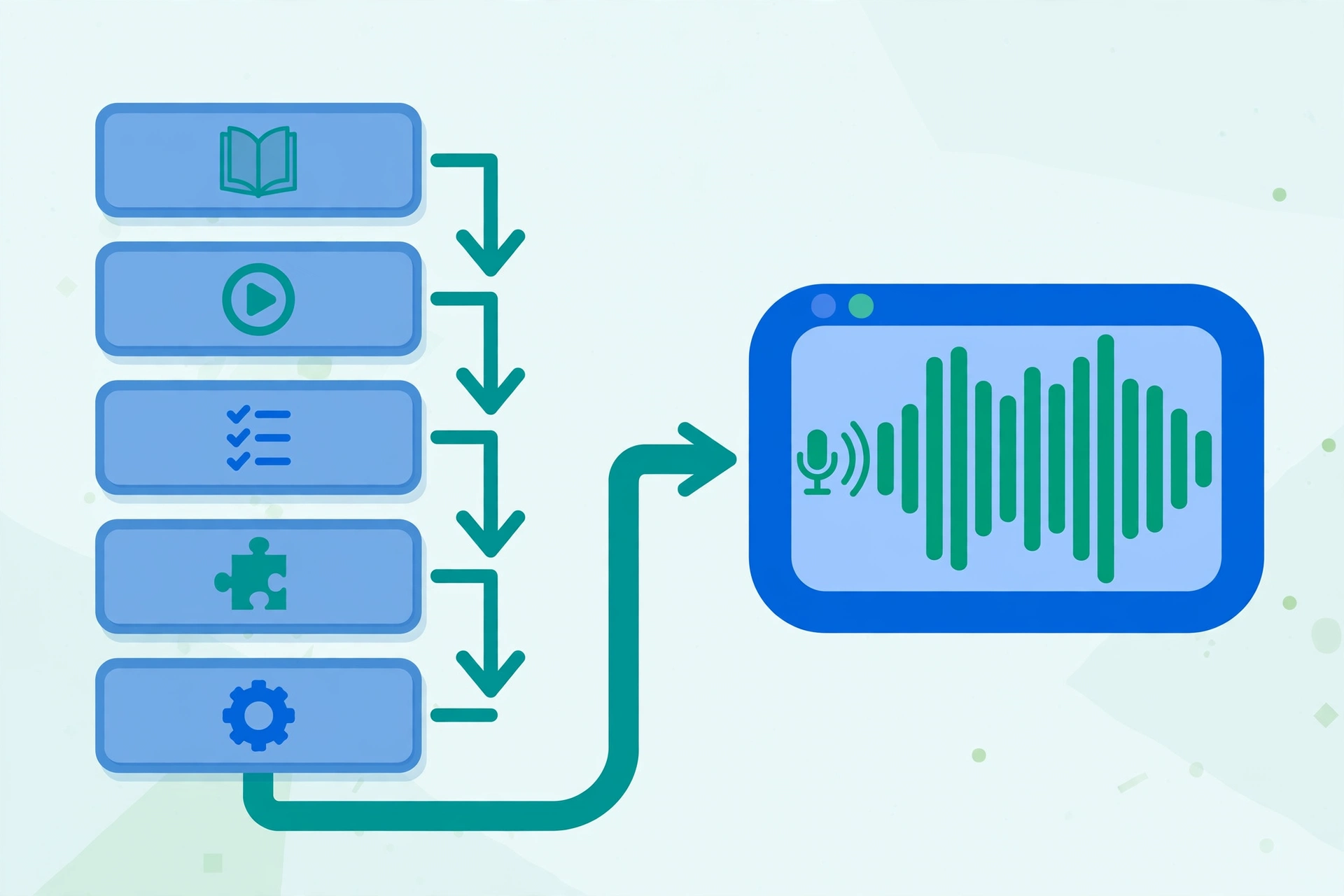
This is where AI voiceover pays for itself. Courses decay — software updates, price changes, new regulations, corrected errors. The traditional update cycle (re-record, match tone, re-edit, re-upload) is why so many courses quietly go stale.
With a text-to-speech pipeline, the update process is:
- Edit the lesson text where the content changed.
- Regenerate only the changed paragraphs or the affected lesson.
- Swap the new audio into your video or SCORM package.
- Done — same voice, same quality, zero studio time.
Version your scripts, not just your audio. Keep every lesson's script in a document with version history — the diff between course v2 and v3 lives in the text.
This update economics also changes how you plan courses: you can launch with a solid v1 knowing that improvements are cheap, rather than delaying launch until every lesson is perfect.
Step 5: Publish Multilingual Versions of Your Course
A course that exists only in English reaches a fraction of its potential audience. Multilingual versions used to mean hiring narrators, booking studio time per language, and managing quality across all of them. The AI voiceover version:
- Translate the lesson scripts — professional translation for learning content; machine translation plus human review is a reasonable budget option.
- Generate narration in each target language. SynVoice's 100+ language support includes Urdu, Hindi, Arabic, Punjabi, and Bengali — major learning markets often underserved by English-only courses.
- Keep the same voice character where possible so the course feels like one product across languages.
- Localize examples, not just words. Currency, dates, and culturally specific references should be adapted per market during translation.
Each language version is a new product you can price, market, and sell independently. For creators targeting South Asia and the Middle East, a course in Urdu or Hindi narrated naturally — not as an afterthought — is a genuine differentiator. Related reading: Urdu text-to-speech and Hindi AI voiceover for video.
If your course catalog is large, compare the per-course narration cost against a full content platform — some creators pair AI voiceover with the same tooling they'd use for AI-voiced YouTube content to build an audience that feeds course sales.
What Does AI Course Narration Cost?
Pricing is straightforward: plans start at $3.99, and every new account gets 1 million free welcome credits that never expire — enough to narrate your first several lessons before paying anything. Paid-plan credits are valid for 30 days; the welcome credits have no expiry.
For a sense of scale: a 10-module course with 5 lessons per module is a serious catalog — and all of its narration is generated from text you already wrote. Compare that against studio recording time, editing hours, or per-language narrator fees, and the difference is an order of magnitude. See the full plan details and ElevenLabs voice options on the pricing page.
Frequently Asked Questions
Will students accept AI-narrated courses?
For instructional content, yes — students care about clarity, pacing, and whether the audio is pleasant to listen to for hours. A consistent, clear AI voice outperforms uneven self-recorded audio. For personality-driven teaching where your stories are the product, your own voice may still be preferable.
How do I keep the same voice across all course modules?
Use the same AI voice and the same generation settings for every lesson, and document your choice (voice name, rate, pronunciation notes) in your production notes. Unlike human recording, the AI voice doesn't change between sessions — consistency is automatic as long as you don't switch voices.
How do I update a lesson without re-recording the whole course?
Edit the lesson's text where content changed, regenerate only the affected paragraphs or lesson, and swap the new audio in. Keep versioned scripts so you always know what changed. The whole update takes minutes.
Can I make my course available in multiple languages with AI voiceover?
Yes. Translate the lesson scripts, then generate narration in each target language. Platforms supporting 100+ languages — including Urdu, Hindi, Arabic, Punjabi, and Bengali — let you ship localized course versions without hiring narrators per language.