
Hinglish Text to Speech: AI Voices for Creators
Millions of creators across India, Pakistan, and the global diaspora think, write, and talk in Hinglish — the natural blend of Hindi and English that shows up in everyday conversation. Your audience doesn't speak pure textbook Hindi or formal English. They speak the mix. So when your video's voiceover is stiff, formal Hindi or flat American English, something feels off.
Hinglish text to speech solves exactly that. It converts scripts written in the same mixed language your audience actually uses — Roman-script Hindi woven together with English — into natural-sounding AI voiceovers. This guide walks you through how the technology works, a complete script-to-CapCut workflow, and the code-switching tips that separate robotic output from voiceovers people actually listen to.
What Makes Hinglish Text to Speech Different from Plain Hindi or English TTS
Most text-to-speech tools are trained on one language at a time. Feed them a Hinglish sentence like "Aaj hum discuss karenge ki kaise aap apna first online business start kar sakte ho" and they stumble. A Hindi TTS engine mispronounces the English words; an English TTS engine butchers the Hindi words. The result sounds like neither language spoken well.
True Hinglish TTS handles code-switching — the seamless movement between languages inside a single sentence. This is harder than it sounds, because it isn't just pronunciation. It's:
- Rhythm and stress: Hinglish has its own cadence. Words like "basically," "actually," and "matlab" act as connectors with specific spoken timing.
- Roman-script reading: Most Hinglish content is written in Roman script ("kaise ho" not "कैसे हो"). A good engine reads Roman Hindi as spoken Hindi, not as broken English.
- Accent consistency: The voice should carry the natural South Asian accent your audience expects — not sound like a foreigner reading Hindi words.
- Borrowed words: "Cringe," "vibe," "budget," "startup" are everyday Hinglish now. They should be pronounced the way your audience says them.
SynVoice supports this kind of mixed-language content through its 100+ language library and 38,000+ premium AI voices, so you can pick a voice that matches the tone of your content — energetic for commentary channels, calm for educational content, conversational for vlogs. You can test how any voice handles your script with the live demo before committing to anything.
Why Creators Are Switching to AI Hinglish Voices
Recording your own voice for every video costs studio time, retakes, and the simple fact that you don't always feel like recording. Hiring a voice artist adds cost and turnaround time to every video, which kills the consistency algorithms reward.
AI Hinglish voices hit the sweet spot:
- Speed: Paste a script, pick a voice, download audio. A 10-minute voiceover takes minutes, not hours.
- Consistency: Your channel keeps the same voice across 100 videos.
- Editing flexibility: Fix a line in the script and regenerate just that sentence — no re-recording sessions.
- Scale: Faceless channels can publish daily without a recording bottleneck — a major reason AI voiceovers have become central to faceless YouTube channels.
The key word is good AI voice, though. Your audience will forgive an AI voice that sounds natural. They will click away from one that sounds like a GPS reading a shopping list.
From Script to Final Video: A Step-by-Step Workflow
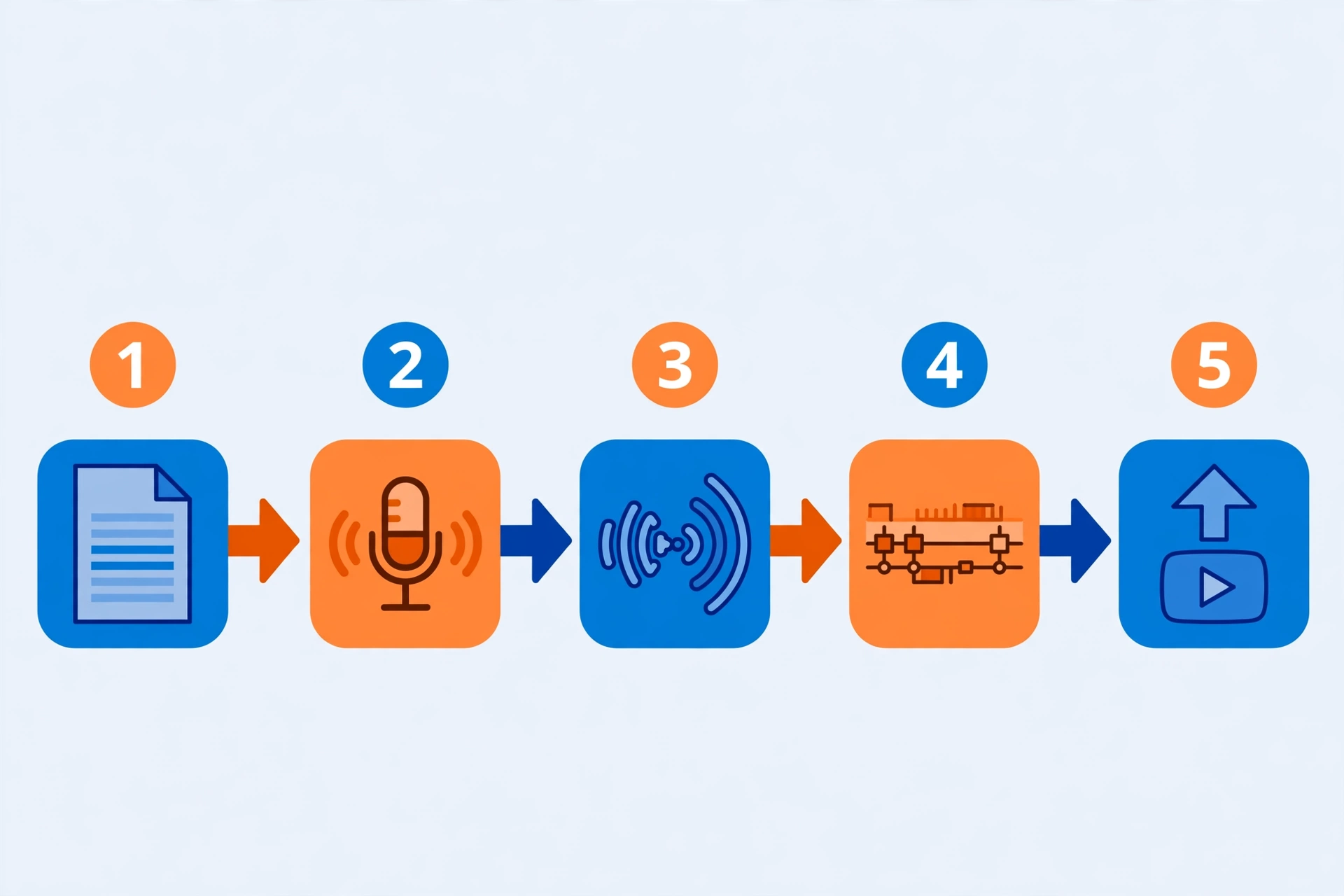
Here's the exact workflow creators use to go from a Hinglish script to a finished video edited in CapCut. Each step includes the code-switching decisions that matter.
Step 1: Write your script the way you actually talk
Write in Roman script, the way your audience texts and comments:
- ✅ "Toh guys, aaj ka video thoda different hai — we're talking about passive income."
- ❌ "Aaj ka video kuch vishesh hai — hum nishkriya aay ke baare mein charcha karenge."
Read it out loud once. If it sounds like something you'd actually say, it's right.
Step 2: Mark your emphasis and pacing
Use punctuation to control pacing: commas for natural pauses ("Dekho, baat simple hai"), dashes or ellipses for dramatic beats ("Aur phir... sab kuch change ho gaya"), and exclamation marks sparingly — one per paragraph is plenty. Break long sentences into short ones; Hinglish is spoken in short bursts, and short sentences give the engine more natural pause points.
Step 3: Generate the voiceover on SynVoice
Go to SynVoice, paste your script, and choose a voice. For Hinglish, listen for these qualities in the voice library: natural Hindi pronunciation of Roman-script words, English words spoken with a South Asian accent, and conversational energy that fits your niche.
Generate a 30-second sample first and listen on your phone speakers — that's how most of your audience will hear it. If a sentence sounds off, tweak the wording. Swapping "bahut zyada" for "bahut" or splitting one long sentence into two often fixes robotic-sounding lines instantly.
Step 4: Download and import into CapCut
Download the MP3 from SynVoice and import it into CapCut (desktop or mobile — both work):
- Create your project and import the voiceover audio first — build your visuals around the voiceover, not the other way around. This is the single biggest workflow upgrade most creators make.
- Use CapCut's auto-captions to generate subtitles. Hinglish captions perform well because viewers can follow along even on mute — just fix mis-transcribed code-switched words manually.
- Add B-roll, stock footage, or screen recordings synced to the narration beats. Cut on the pauses you wrote into the script.
This same pipeline works for Hindi-only content too — there's a dedicated walkthrough for Hindi AI voiceovers in CapCut if your channel is pure Hindi.
Step 5: Polish the audio
Normalize volume so the voiceover sits at a consistent level, and keep background music at least 10–15 dB under the voice. And avoid over-processing — heavy compression and reverb won't "fix" an AI voice. If the raw voiceover sounds good, leave it alone.
Code-Switching Tips That Sound Natural
This is where Hinglish TTS succeeds or fails:
- Keep the mix ratio consistent. If your channel is 70% Hindi / 30% English, stay in that lane. Sudden shifts between a fully English paragraph and a fully Hindi one sound disjointed.
- Put English at the ends of sentences, Hindi in the middle. "Yeh strategy follow karo, and you'll see results in 30 days" flows better than "You will see results in 30 days agar yeh strategy follow karoge." End-loaded English matches natural spoken Hinglish.
- Use connector words as written, not translated. Write "matlab," "basically," "actually," "toh" — never "arthaat" or "vastav mein." Formal translations are the #1 reason Hinglish TTS sounds wrong.
- Don't mix scripts mid-sentence. Pick Roman script for the whole script. A Devanagari word dropped into a Roman sentence confuses most engines' language detection.
- Read the technical terms out loud. "Algorithm," "monetization," "thumbnail" — check how your target voice pronounces them. If it says "al-go-ri-thum" with weird stress, replace the word or add a phonetic spelling.
- Test the hook first. Generate just your first 15 seconds and play it for someone. If the hook sounds natural, the rest usually will too. If the hook sounds robotic, no one hears the rest anyway.
Comparing Your Options for Hinglish Voiceovers
| Record yourself | Hire a voice artist | AI Hinglish voice (SynVoice) | |
|---|---|---|---|
| Cost per video | Free (but your time) | ₹500–₹5,000+ per video | Plans from $3.99 |
| Turnaround | Hours (record + retakes) | 1–3 days | Minutes |
| Voice consistency | Varies by day/mood | Depends on artist availability | Identical every time |
| Script edits | Re-record everything | Pay for revisions | Regenerate one line |
| Scalability | Limited by your schedule | Limited by budget | Unlimited daily output |
Getting Started
You don't need a setup, a microphone, or an audio engineer. Write a 60-second script in your natural Hinglish, try the live demo on SynVoice, and drop the audio into your next video's timeline in CapCut. Then watch your audience retention graph — if viewers stay through the voiceover, you've found your production pipeline.
For creators comparing platforms, the ElevenLabs comparison page breaks down how SynVoice stacks up, and the guide to monetizing AI voiceover on YouTube covers the policy side.
Frequently Asked Questions
Does Hinglish text to speech actually sound natural, or will my audience notice it's AI?
It depends on the voice and the script. Modern AI voices are convincingly natural when the script is written in spoken-style Hinglish — short sentences, natural connectors, Roman script. The giveaway is almost always a bad script, not the voice. Always generate a sample and listen on phone speakers first.
Should I write my Hinglish script in Roman script or Devanagari?
Roman script, for Hinglish. TTS engines handle Roman Hindi mixed with English more reliably than Devanagari mixed with English. Reserve Devanagari for pure-Hindi content.
Can I use AI Hinglish voiceovers for monetized YouTube videos?
Yes — YouTube's policies focus on originality and value, not on whether the voice is human or AI. See the full breakdown in the guide to monetizing AI voiceover on YouTube.
How much does it cost to make Hinglish voiceovers with SynVoice?
Every new signup gets 1 million free credits that never expire. Paid plans start at $3.99, with plan credits valid for 30 days. Full details are on the pricing page.
Can I clone my own voice for Hinglish videos instead of using a library voice?
Yes. SynVoice offers voice cloning, which creates an AI copy of your own voice — useful once your audience knows your sound. Only clone your own voice or a voice you have explicit permission to clone.