How to Write YouTube Scripts That AI Voices Read Naturally
Here's an uncomfortable truth about robotic-sounding AI voiceovers: most of the time, the voice isn't the problem — the script is. Modern text-to-speech engines are remarkably good at prosody, emphasis, and pacing. But they read exactly what's on the page, including every ambiguous number, unpunctuated run-on, and tricky abbreviation. A human narrator fixes those on the fly. An AI voice can't.
The good news: writing "TTS-friendly" scripts is a learnable skill, and it makes your human-read scripts better too. This guide covers the punctuation, formatting, and word-choice habits that make AI voices sound natural — with before/after examples you can steal for your own faceless YouTube channel.
1. Punctuation Is Your Direction to the Voice
A human narrator sees "…", pauses, and leans in. An AI voice does the same thing — if you give it the punctuation. Think of punctuation marks as stage directions:
- Periods = full stops. Short, clean sentences read better than long ones. Break up anything over ~25 words.
- Commas = short pauses. Use them to separate clauses, just as you would when speaking.
- Ellipses (…) = dramatic pause. Use sparingly — one per few paragraphs. Overuse makes every line sound ominous.
- Em dashes (—) = sharp interruption or pivot. Great for hooks and reversals.
- Exclamation marks = genuine excitement. One per section maximum; more than that sounds unhinged.
- Question marks = rising intonation. TTS engines handle these well — use rhetorical questions freely.
Before:
The results were shocking and nobody expected what happened next and the scientists were stunned by the data and they published immediately
After:
The results were shocking. Nobody expected what happened next. The scientists were stunned by the data — and they published immediately.
The second version gives the voice three natural breathing points and one pivot. Same information, completely different delivery.
2. Control Pacing With Line Breaks and Paragraphs
Most TTS engines treat paragraph breaks as longer pauses than periods. Use that deliberately:
- One idea per paragraph. Short paragraphs (1–3 sentences) create a snappy, modern pacing that suits YouTube retention.
- Single-sentence paragraphs for punchlines. A standalone line after a buildup forces a pause before and after — the voice equivalent of a drum hit.
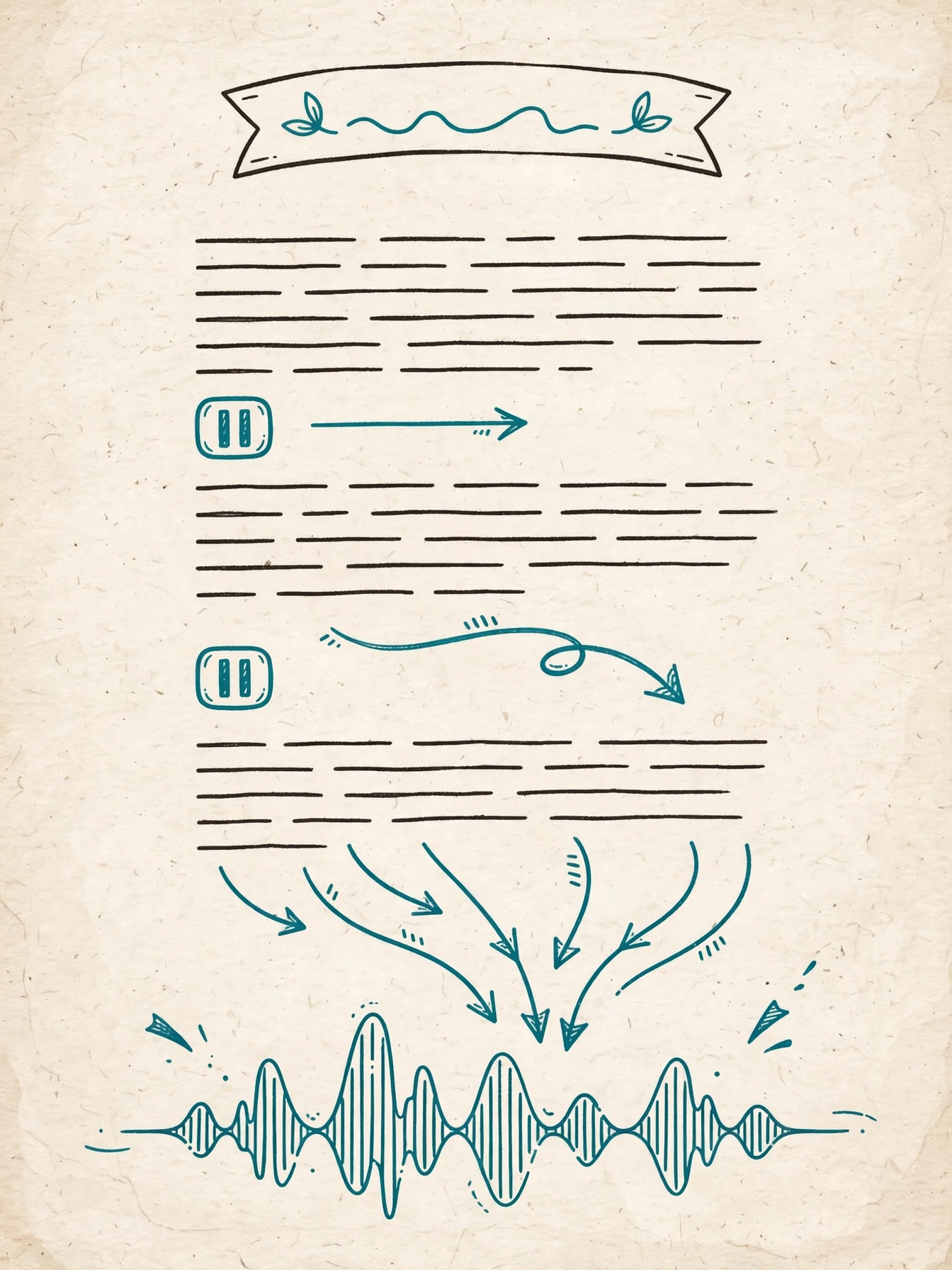
- Avoid walls of text. A 200-word paragraph reads as one breathless rush. Split it.
3. Write Out Numbers, Dates, and Units
This is the single biggest source of weird AI reads. TTS engines guess at ambiguous numbers — and guess wrong. Take control by spelling things out:
| Write this | Not this | Why |
|---|---|---|
| "three thousand dollars" | "$3,000" | Some engines read "$3,000" as "dollar three thousand" |
| "the nineteen nineties" | "the 90s" | "90s" can be read as "nineties" or "nine-tees" |
| "January fifth, twenty twenty-six" | "01/05/2026" | Date formats are ambiguous across regions |
| "fifty percent" | "50%" | Safer across all engines |
| "five foot ten" | "5'10"" | Symbols often get skipped or misread |
| "World War Two" | "WWII" | Roman numerals are a classic failure point |
Rule of thumb: if a number could be read more than one way, write it the way you want to hear it.
Before:
In Q3 2024, revenue hit $2.5M — up 37% YoY.
After:
In the third quarter of twenty twenty-four, revenue hit two point five million dollars — up thirty-seven percent year over year.
The second version is longer on the page but flawless in the ear. For financial or data-heavy content, this habit is non-negotiable.
4. Expand Abbreviations and Acronyms
Human readers expand abbreviations automatically. TTS engines do their best, but "best" varies:
- First mention: spell it out. "The Federal Bureau of Investigation (F B I)" on first use, then "F B I" after.
- Space out letter-by-letter acronyms. "F B I" with spaces forces letter-by-letter reading. "FBI" without spaces might be read as "fbuh."
- Common acronyms are usually fine. "NASA," "YouTube," "AI" are handled correctly by modern engines.
- Industry jargon is not. If your niche uses obscure initials, spell them out or space them.
Before:
The CEO of the NGO said the KPI for Q4 was ROI-positive.
After:
The C E O of the N G O said the key performance indicator for the fourth quarter was R O I positive.
Clunky on paper. Crystal clear in audio.
5. Watch Out for Homographs
Homographs — words spelled the same but pronounced differently — are a classic TTS trap. The engine picks a pronunciation from context, and sometimes picks wrong:
- "read" (present) vs "read" (past) — rewrite to avoid: "I read the report yesterday" → "I went through the report yesterday."
- "live" (alive) vs "live" (broadcast) — "the live broadcast" is usually fine, but "they live here" near broadcast context can confuse.
- "lead" (to guide) vs "lead" (the metal) — "lead singer" vs "lead pipe."
- "bass" (fish) vs "bass" (sound) — relevant for music channels.
- "wind" (breeze) vs "wind" (to twist).
When you spot one during your read-through, rewrite the sentence to remove the ambiguity. It takes ten seconds and saves a regeneration.
6. Write Conversationally, Not Formally
AI voices shine with natural, spoken-style language and stumble on formal written prose. Compare:
Before (written style):
It is imperative to note that the aforementioned strategy, whilst effective, necessitates careful implementation.
After (spoken style):
Here's the thing — this strategy works, but only if you're careful with how you use it.
Tips for a conversational tone:
- Use contractions. "Don't," "can't," "it's" — always. Uncontracted forms sound like a lecture.
- Start sentences with "And" or "But." It's how people actually talk, and it creates natural rhythm.
- Ask the listener questions. "Sound familiar?" "Here's why that matters." These reset attention.
- Read every script aloud before generating. If you stumble reading it, the AI will stumble too.
7. Special Cases: Multilingual Scripts
- Keep each language in its own sentence. Mixing languages mid-sentence ("yeh trick try karo for best results") can confuse pronunciation. It's common in real speech, but TTS handles clean boundaries better.
- Use the right voice for the language. A voice trained on English will mangle Urdu script. Platforms with large multilingual libraries — SynVoice offers 38,000+ voices across 100+ languages including Urdu, Hindi, Arabic, Punjabi, and Bengali — let you match the voice to the script. Browse the voice library to find yours.
- Test one paragraph first. Generate a short sample before committing to a full script. Accent and pronunciation vary by voice.
For language-specific walkthroughs, see our guides to Urdu text-to-speech and Hindi AI voiceover for CapCut.
8. The Pre-Generation Checklist
Run every script through this before you hit generate:
- [ ] Sentences under ~25 words; one idea per paragraph
- [ ] Numbers, dates, percentages, and units written out in words
- [ ] Abbreviations expanded on first use; letter-acronyms spaced
- [ ] Homographs rewritten or removed
- [ ] Contractions used throughout; no stiff formal phrasing
- [ ] Ellipses and exclamation marks used sparingly (not every paragraph)
- [ ] Script read aloud once — anything you stumble on gets rewritten
- [ ] One test paragraph generated and listened to before the full run
Step 8 deserves emphasis: a 30-second test catches pronunciation surprises before they cost you a full re-render. SynVoice's live demo lets you test free before committing.
Frequently Asked Questions
Why does my AI voiceover sound robotic even with a good voice?
Almost always the script. Unpunctuated sentences, raw numbers ("$2.5M"), abbreviations ("KPI"), and formal phrasing force the engine to guess. Format the script the way you want it to sound and the same voice will sound dramatically better.
Should I write numbers as digits or words for TTS?
Words, nearly always. Digits like "$3,000," "01/05/2026," and "WWII" are ambiguous and engines guess inconsistently. Writing "three thousand dollars" removes all doubt.
How do I make an AI voice pause for dramatic effect?
Use ellipses (…) sparingly for dramatic pauses, em dashes (—) for sharp pivots, and single-sentence paragraphs for punchlines. Each creates a different pause length.
Can AI voices handle mixed Urdu-English scripts?
They handle it best when each language stays in its own sentence and you use a voice trained for that language. Test a short sample first — pronunciation quality varies by voice.
Do I need special software to write TTS-friendly scripts?
No. Any text editor works. The skill is in the writing habits — punctuation, spelled-out numbers, expanded abbreviations — not the tool. Generate a test sample on a platform like SynVoice to hear the difference your formatting makes.
The Bottom Line
Natural-sounding AI voiceover is 80% writing and 20% voice selection. Punctuate like a director, spell out anything ambiguous, write the way people talk, and always test a paragraph before rendering the whole script. Do that consistently, and your listeners will stop noticing the voice is AI — which is exactly the point.
Ready to hear the difference? Try the live demo, browse 38,000+ voices in the voice library, or clone your own voice with voice cloning. Building a channel? See our guides to AI voiceover for faceless YouTube and monetizing AI voiceover on YouTube — or start with our Famespeak alternative breakdown if you're comparing tools.