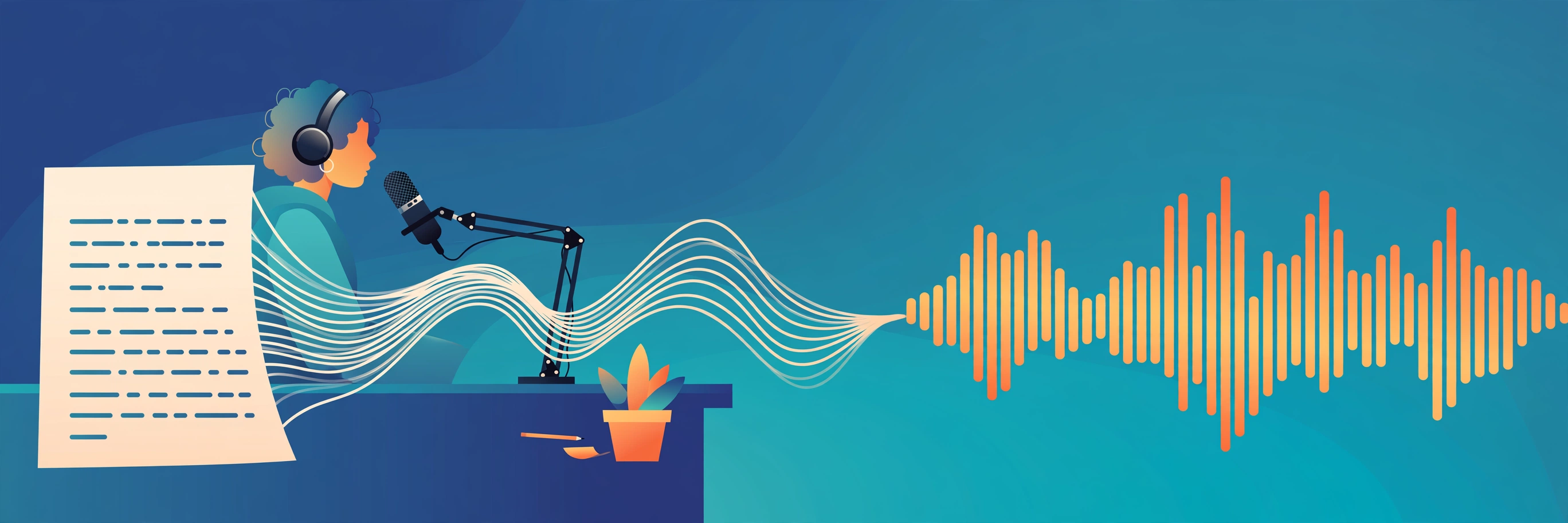
TL;DR: Text to podcast lets podcasters turn blog posts, scripts, newsletters and show notes into finished audio episodes without re-recording. Pick text that already performs, choose a natural AI voice that matches your show, edit for spoken rhythm, and publish with the same care as a recorded episode. Done well, one article can become a full episode in under an hour.
If you run a podcast, you already have the hardest part of the next episode sitting in your drafts folder. Every blog post, newsletter, script and long social thread you have written is a potential episode — it just needs to be turned into audio that sounds like you meant it to be heard, not read.
That is exactly what text-to-podcast tools do. They take written content and convert it into spoken audio using realistic AI voices, so a podcaster can publish more episodes, reach listeners who prefer audio, and reuse work that already exists. The same technology powers AI podcast text-to-speech for hosts who want natural narration without a studio. In this guide you will learn how the process works, which text converts best, how to choose a voice, and the workflow podcasters use to keep quality high.
What Is Text to Podcast for Podcasters?
Definition: Text to podcast is the process of converting written content into a spoken audio episode using text-to-speech technology, so a blog post, script or article becomes a listenable podcast episode without a microphone recording session.
For podcasters, this is different from simply reading a post aloud into a recorder. A text-to-podcast workflow uses an AI voice generator to produce the narration, then the podcaster edits, adds intro music, and publishes the result through their normal hosting platform. The finished episode sounds like a produced show, not a robot reading a web page.
The reason podcasters care is simple: recording is the bottleneck. Writing is often faster than recording, editing and re-recording, and most podcasters already write far more than they record. Text to podcast closes that gap. If you want the basics first, our beginner's guide to text to podcast explains the core idea in plain language.
Why Should Podcasters Turn Text Into Audio?
There are four practical reasons podcasters adopt text to podcast, and none of them is about replacing the host's real voice.
First, it multiplies output. A podcaster who publishes one recorded episode a week can add a second weekly episode built from written content, without booking more studio time. More episodes mean more chances to be discovered in podcast apps.
Second, it rescues good writing. Most creators have dozens of posts that performed well but never reached listeners. Converting the best ones gives that work a second audience — people who listen on commutes and workouts but rarely read long articles.
Third, it keeps a show consistent. Illness, travel, a noisy home or a lost voice can kill a recording week. A text-to-podcast episode keeps the publishing schedule alive when recording is impossible.
Fourth, it opens new formats. A podcaster can turn a written interview into a narrated episode, convert a how-to guide into a tutorial episode, or serialize a long article into a short series. The back catalogue becomes raw material instead of dead weight.
How Does Text-to-Podcast Actually Work?
The process has five steps, and understanding them helps you spot where quality is won or lost.
- Choose and prepare the text. Pick a post or script, then rewrite it for the ear: shorten sentences, remove links and formatting cues, and replace visual references ("as you can see in the chart below") with spoken ones ("the data shows").
- Select a voice. Pick an AI voice that fits your show's tone — warm and conversational for interviews, clear and steady for explainers. Preview several voices with the same paragraph before committing.
- Generate the audio. The tool converts the prepared text into speech. Good tools let you adjust speed, pauses and emphasis so the narration breathes instead of rushing.
- Edit like a producer. Listen through once, cut awkward phrasing, fix mispronounced names and numbers, and add your intro, outro and music beds.
- Publish normally. Export the finished audio and upload it to your podcast host with show notes, a title and episode art, exactly as you would a recorded episode.
The whole chain is covered in more detail in our article-to-episode workflow guide, which walks through each step with examples.
Which Written Content Converts Best Into Podcast Episodes?
Not every piece of writing makes a good episode. The table below shows how common content types perform when converted to audio, so you can start with the winners.
| Content type | Podcast fit | Why it works |
|---|---|---|
| How-to guides and tutorials | Excellent | Step-by-step structure translates naturally to spoken instructions |
| Opinion pieces and essays | Excellent | A clear point of view sounds like a host monologue |
| List posts and roundups | Good | Easy to pace with pauses; works well as a countdown episode |
| Interviews (written Q&A) | Good | Two voices can play host and guest, with light editing |
| News and commentary | Good | Timely and conversational, but dates fast — publish quickly |
| Product reviews | Fair | Needs spoken-friendly rewrites; spec lists bore listeners |
| Data-heavy reports | Poor | Tables and statistics are hard to follow by ear alone |
The pattern is clear: content written in a conversational tone, with a clear structure and a single main idea, converts best. Academic or heavily formatted writing needs the most rewriting before it sounds natural.
How Do You Pick the Right AI Voice for Your Show?
Voice choice is the single biggest quality decision in text to podcast. Listeners forgive a lot, but they will not finish an episode narrated by a voice that feels wrong for the topic.
| Voice style | Best for | Watch out for |
|---|---|---|
| Warm conversational | Interviews, storytelling, lifestyle shows | Can sound too casual for technical topics |
| Clear neutral narrator | Explainers, news, educational episodes | Can feel flat over a long episode without pacing changes |
| Energetic and upbeat | Marketing, fitness, entertainment shows | Tires listeners fast in serious or long-form content |
| Deep authoritative | Business, finance, documentary-style shows | May sound stiff for casual or humorous content |
| Character or cloned host voice | Shows that want a consistent signature sound | Needs consent and quality checks; never clone a voice without permission |
Definition: A cloned voice is an AI voice trained on recordings of a real person so it can speak new text in that person's style. Podcasters use cloning to keep their own voice in episodes they did not record — but only with clear consent and disclosure.
When you test voices, use the same test paragraph every time — ideally the opening of the actual episode. A voice that sounds great on a generic demo can stumble on your show's specific vocabulary, names and pacing. If you want your own voice in converted episodes, read our guide to AI voice cloning for podcasters before you start.
What Does a Good Text-to-Podcast Workflow Look Like?
A repeatable workflow is what separates a one-off experiment from a reliable second episode each week. Here is the workflow many podcasters settle on.
Step 1: Audit your archive. List your ten best-performing written pieces by traffic, shares or comments. Rank them by how conversational they already sound.
Step 2: Rewrite for the ear. Read each piece aloud and fix anything that trips you up: long sentences, jargon, parenthetical asides, and references to images or links. Aim for sentences under 20 words.
Step 3: Generate a first draft. Run the rewritten text through your text-to-podcast tool with your chosen voice. Do not obsess over perfection at this stage.
Step 4: Edit the audio, not the text. Listen once and note timestamps where the narration sounds wrong, then fix the underlying text and regenerate only those sections. Regenerating the whole episode for one bad sentence wastes time and credits.
Step 5: Add production value. Intro music, a short host-style intro, chapter markers and a clear outro turn generated narration into an episode that feels produced.
Step 6: Publish and measure. Track completion rate and listener feedback for converted episodes separately from recorded ones. If converted episodes hold listeners, your voice and rewriting choices are working.
How Do You Edit and Polish a Text-to-Podcast Episode?
Editing is where converted episodes earn their place next to recorded ones. Three checks matter most.
First, check pronunciation. AI voices mispronounce brand names, place names, acronyms and unusual words. Most tools let you add pronunciation guides or spell a word phonetically. Fix every name your audience will notice.
Second, check pacing. Written text has no pauses, so generated audio can sound rushed. Add short pauses after key points, before a new section, and after a question. A half-second pause is often the difference between a lecture and a conversation.
Third, check the ending. Written articles often end with a summary or a call to action that sounds weak when spoken. Rewrite the closing lines as a spoken sign-off: thank the listener, point them to the next episode, and say the show name clearly.
One more practical tip: keep your show notes honest. Tell listeners the episode was produced from your written work with an AI voice. Audiences accept AI narration far more readily when it is disclosed than when they discover it themselves.
How Much Does Text to Podcast Cost for Podcasters?
Costs depend on how much audio you generate and which voice quality you choose. Most podcasters pay in one of three ways: a subscription with a monthly character or minute allowance, pay-as-you-go credits, or a free tier with limited voices and minutes.
A 20-minute episode is roughly 2,500–3,000 words, so a weekly converted episode uses about 10,000–12,000 words a month. Compare that against the plan you are considering before you commit. The cheapest plan is not the best deal if its voices sound wrong for your show — listeners leave, and no saving is worth an abandoned episode.
Also budget editing time. Generation is fast; careful listening and fixing is not. A realistic budget is 30–60 minutes of human time per converted episode, which is still far less than a full recording and editing session.
What Mistakes Should Podcasters Avoid With Text to Podcast?
The most common mistakes are easy to avoid once you know them.
Publishing unedited output is the biggest one. Raw generated audio almost always contains a mispronounced word, an awkward pause or a sentence that made sense on the page but not in the ear. Always listen to the full episode once before publishing.
Converting the wrong content is second. A keyword-stuffed SEO post or a data table will not become a good episode no matter how good the voice is. Start with your best writing, not your most recent writing.
Using the same voice for every show is third. If you run two shows, or a show with distinct segments, different voices or tones keep listeners oriented. One voice for everything blurs your shows together.
Finally, hiding the AI element backfires. Listeners can usually tell, and undisclosed AI narration damages trust more than the narration itself ever could. A one-line disclosure in the show notes is enough.
Definition: Text-to-speech (TTS) is the technology that converts written text into spoken audio. Text-to-podcast tools are built on TTS, adding voice selection, pacing controls and podcast-ready export on top.
Frequently Asked Questions
Can text-to-podcast episodes rank in podcast directories?
Yes. Podcast directories rank episodes on titles, descriptions, show notes and listener behaviour, not on how the audio was recorded. A converted episode with a strong title and accurate show notes can rank just as well as a recorded one.
Will listeners know an episode was made with AI?
Many will guess, especially regular listeners who know your real voice. That is why disclosure matters: a short note in the show notes saying the episode was produced from your written work with an AI voice keeps trust intact and sets the right expectation.
How long does it take to turn an article into a podcast episode?
A prepared article takes 30–60 minutes of human time: 15–20 minutes rewriting for the ear, a few minutes generating audio, and 15–30 minutes listening and fixing. The first few episodes take longer; after five or six, the workflow becomes routine.
Do I need a microphone to make text-to-podcast episodes?
No. That is the point. Generation replaces recording entirely. You still need editing software or a tool with built-in editing to polish the audio, add music and export the final file, but no microphone is required.
Can I use my own voice for text-to-podcast episodes?
Yes, with voice cloning. You record a short sample of your voice once, and the tool can then speak new text in your voice. Only clone your own voice or a voice you have explicit permission to use, and disclose it to listeners.
Is text to podcast good for interview shows?
It works best for solo and monologue formats. Written interviews can be converted with two voices, but the result feels more like a narrated reading than a real conversation. For interview shows, use text to podcast for solo bonus episodes and keep real interviews recorded.
What is the best text to start with as a podcaster?
Start with your most-read how-to guide or your strongest opinion piece. Both formats have a clear structure and a conversational tone, which convert cleanly, and their proven popularity means the episode already has an audience waiting for it.
Text to podcast will not replace recording for every show, and it should not try to. Its real value is narrower and more useful: it turns the writing you have already done into episodes you would otherwise never have time to record. Pick your best piece, rewrite it for the ear, choose a voice that fits, and publish one converted episode this week. Your archive will tell you quickly whether listeners want more.